Now that mods exist, Claude Code can show whatever you want and stop you before a mistake. You still need to know what to ask for!
A mod is a small plugin that Claude writes itself, from a single sentence. If the word is new to you, our introduction to Claude Code mods explains what they are and what to check before installing one.
So let's look at seven mods worth having when you run your business alone, each with the sentence to paste.
How do you create a mod from one sentence?
You open a session (a conversation with Claude Code), paste the sentence, and Claude writes the mod. The guide to creating a mod from Anthropic describes what follows.
When the first file is saved, Claude Code asks whether you want to enable hot reloading. Say yes, and the mod appears as soon as Claude has finished replying.
Only half happy with the result? Say so in your own words ("make the amount green", "keep it shorter"), and the mod reloads on the next reply.
Mods need at least Claude Code 2.1.287 in the terminal. The claude --version command tells you which one you have.
I built the seven mods below to try them out, with sample data (a made-up client, Atelier Moreau, billed at €75 an hour). Yours will not match word for word, since Claude writes it afresh each time.
Which mods keep an eye on your day?
These three do one thing only. They add a line above the input box, the one you look at all day.
Your weekly quota
You know that moment when Claude stops halfway through a job because the weekly limit is reached? I do, and always the day before a deadline (of course).
A mod can read what Claude Code knows about your subscription, and keep it on screen.
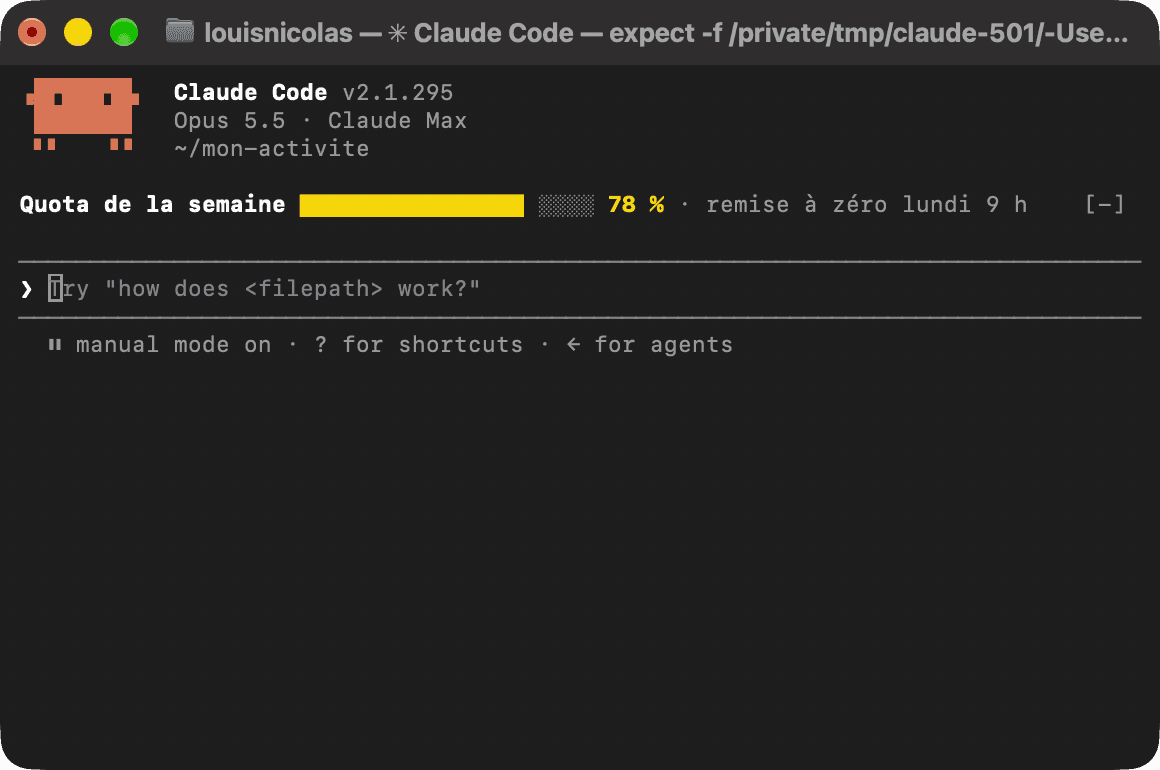
I would like a mod that shows my weekly quota above the input box, with a progress bar, the percentage used and the day it resets.At 78% on a Thursday, you know the big requests are better left for Monday.
The timer per client
We have all billed "roughly three hours". The trouble is that roughly seldom falls in your favour.
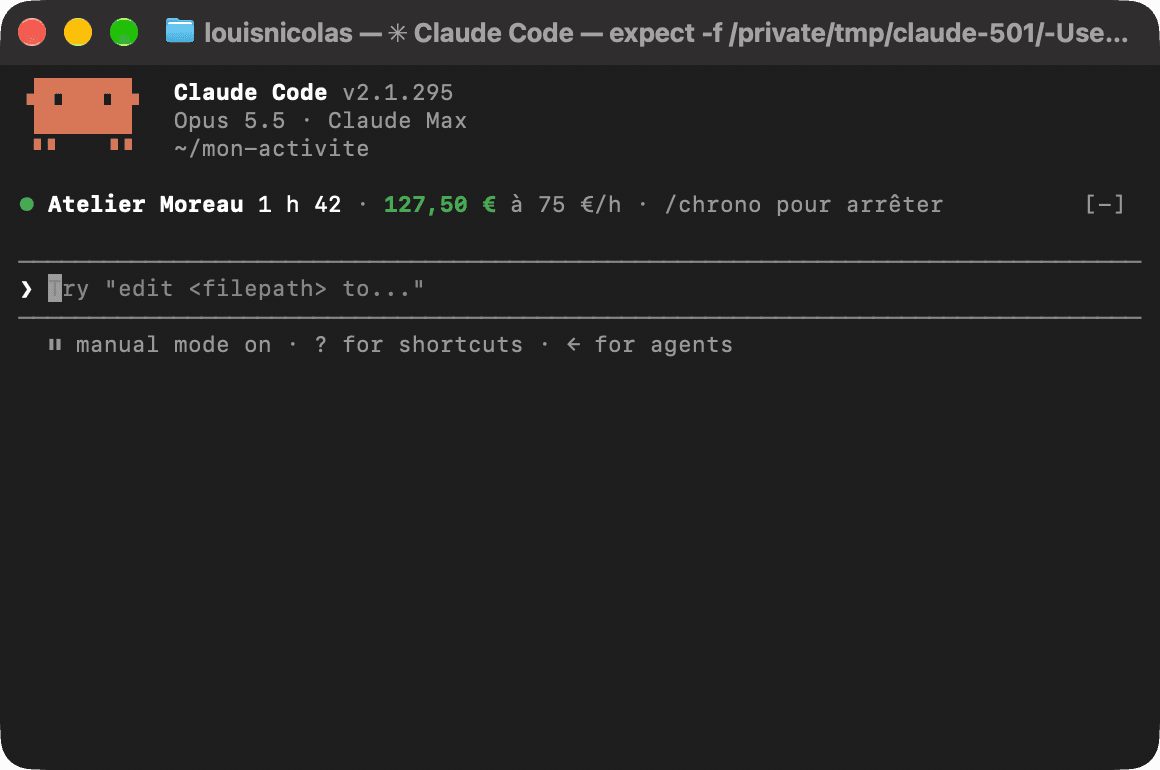
I would like a mod with a /timer command. I give it a client name and my hourly rate, and it shows the elapsed time and the amount to bill above the input box. A second /timer stops the clock and gives me the total.You type /timer as you start, and the amount to bill climbs in front of you. After 1 h 42 for Atelier Moreau, it reads €127.50.
Not sure which rate to enter? Our How much to charge calculator starts from what you want to keep each month and gives you your rate.
Today's three tasks
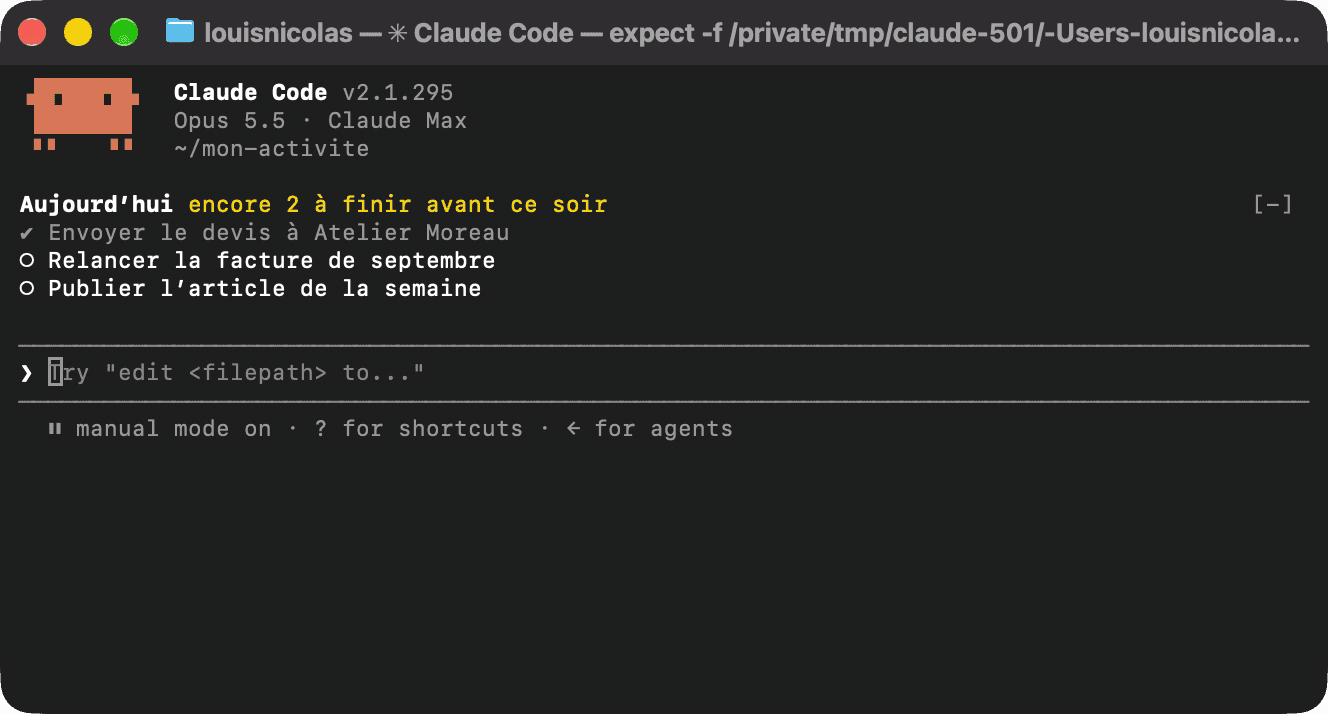
When you work alone, nobody reminds you what you planned this morning. This mod does, every time you come back to the screen.
I would like a mod that reads the tasks.md file in my folder and shows the first three tasks above the input box. Ticked ones are struck through, and the first line tells me how many I still have to finish.The tasks.md file is a plain text file, which you can also ask Claude to keep up to date for you. 😉
Which mods stop you before a mistake?
A mod can also step in. It then holds one of Claude's actions for as long as it takes to ask you a question.
The safeguard before deleting
By default, Claude Code asks for permission before running a command. But many of us end up letting it run without asking, to save time.
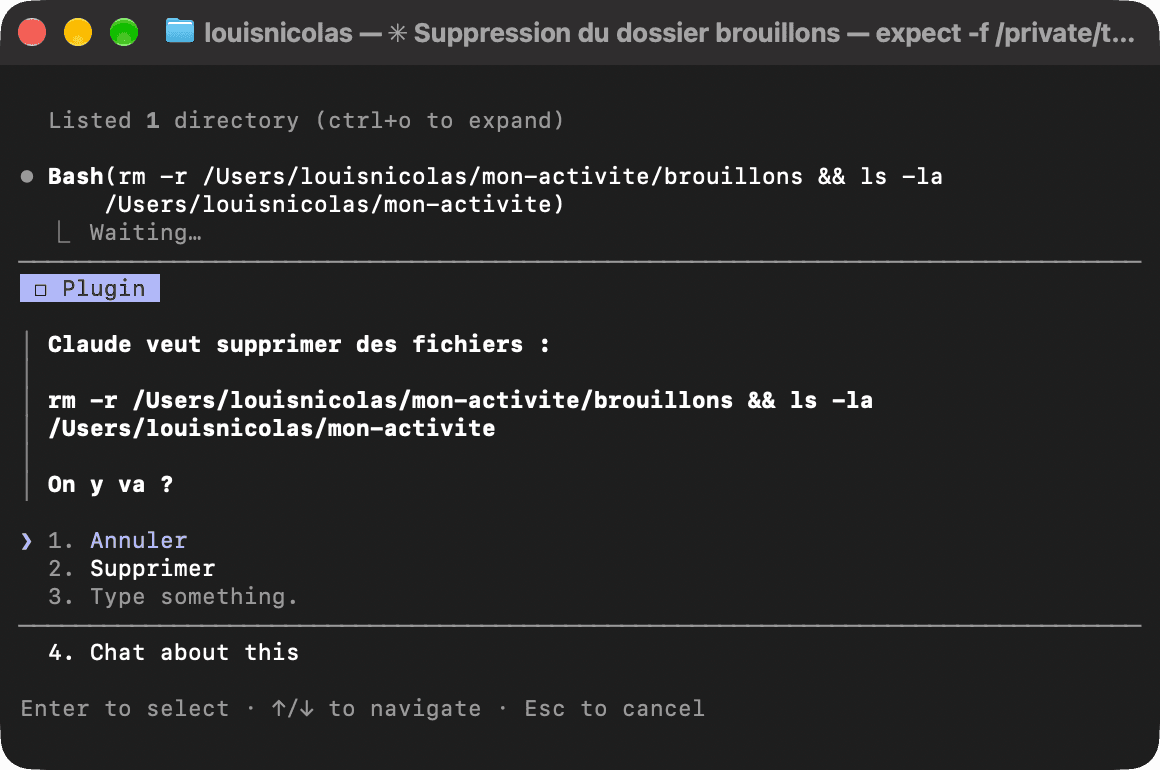
That is where this mod earns its place. It holds only the commands that delete files, and lets everything else through.
I would like a mod that holds any command that deletes files. It shows me the command and asks "Cancel" or "Delete" before letting it through.It is a bit like your computer asking "Are you sure you want to empty the bin?". Annoying nine times out of ten, precious the tenth!
The proofread before it goes to a client
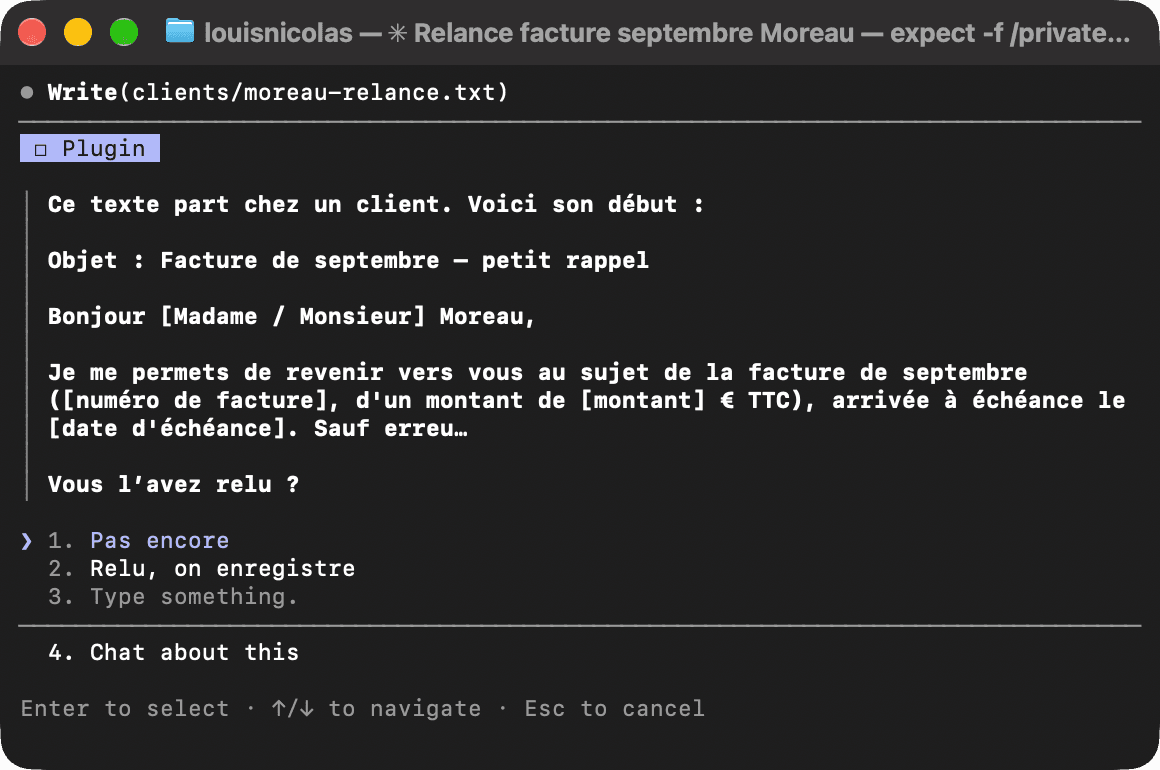
Claude writes fast, and well. Well enough that you end up sending without rereading, until the day an email leaves with "[invoice number]" still in square brackets.
I would like a mod that steps in whenever a file is saved in my clients folder. It shows me the start of the text and asks whether I have reread it before saving.Until you answer "Reread", nothing is saved.
Which mods save you time?
The last two block nothing and keep nothing on screen. They help at the moment you need them.
The alert when Claude has finished
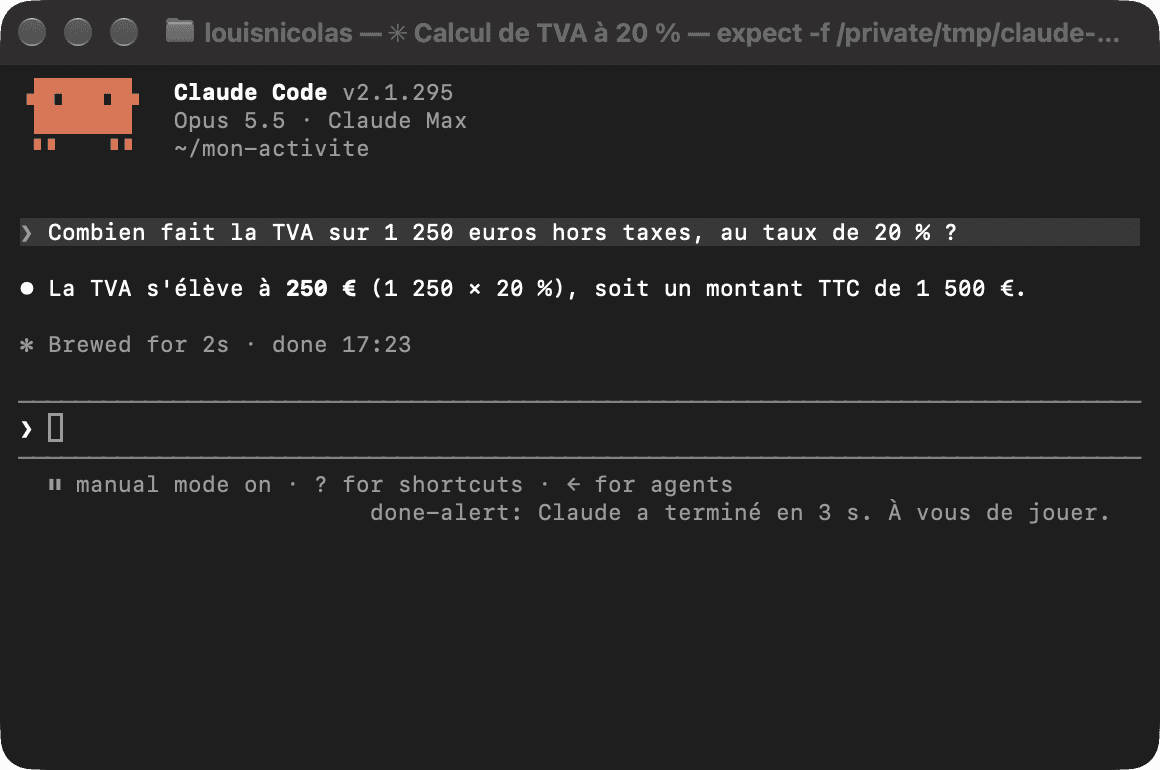
A big request can take ten minutes. Sitting there watching Claude work is ten minutes lost!
I would like a mod that sends me a notification at the end of each reply, with how long it took.You start the request, go and answer a client, and your computer tells you when it is ready.
The journal of your day
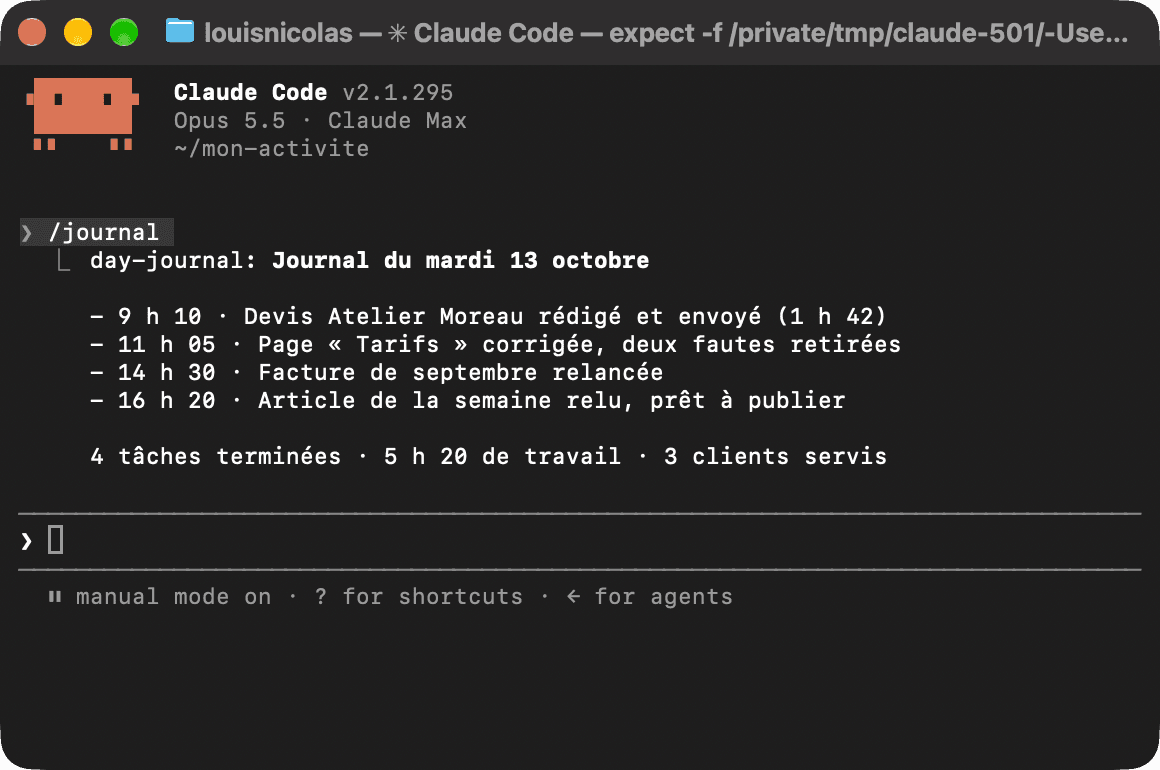
"What did I actually do today?" If you report to a client, or simply fill in your own log, the question comes back every evening.
I would like a mod that notes each of my requests of the day with the time, and a /journal command that gives me the summary.At the end of the day, you type /journal and get the list of what was done, hour by hour, ready to paste into an email.
How do you keep a mod you like?
A mod written by Claude only lives in the session that created it, and Claude Code eventually deletes its folder.
To keep it, simply ask Claude to copy the mod into a folder of your own, for example ~/mods/timer. You then load it at launch.
claude --plugin-dir ~/mods/timerA mod runs with your permissions, so it can read your files and act on your behalf. The ones Claude writes in front of you are easy to reread. For a stranger's mod, run claude plugin validate on its folder first.
You do not have to start with all seven. Take the one that answers whatever annoys you most, paste the sentence, and see what you get.
And if none of them speaks to you, ask the question another way. What do you check by hand ten times a day? There is a good chance that is your first mod. 👀
Frequently asked questions about Claude Code mod ideas
Do you need to know how to code to create these mods?
No. You paste a sentence into a session, and Claude writes the mod for you. Claude Code then asks you to enable hot reloading, and the mod appears when Claude has finished replying.
You need at least Claude Code 2.1.287 in the terminal.
Which Claude Code mod should you create first?
Start with a mod that shows a single line above the input box, such as the weekly quota or the timer per client. That mod blocks nothing, so it cannot get in your way.
Mods that hold an action, such as the safeguard before deleting, come next.
Can a mod show my Claude quota?
Yes. A mod can read what Claude Code knows about your subscription, including the share of your weekly limit already used, and show it above the input box.
How do you keep a mod created by Claude?
Ask Claude to copy the mod into a folder of your own, then run claude --plugin-dir followed by the path to that folder. Without that copy, the mod only loads in the session that created it, and its folder is eventually deleted.