Creating a random colour generator with JavaScript

Want to practise your JavaScript skills? Try building a random colour generator! In this article, we'll look at how to do it.
•
Updated on August 14, 2026
•
2 min read
Believemy logo

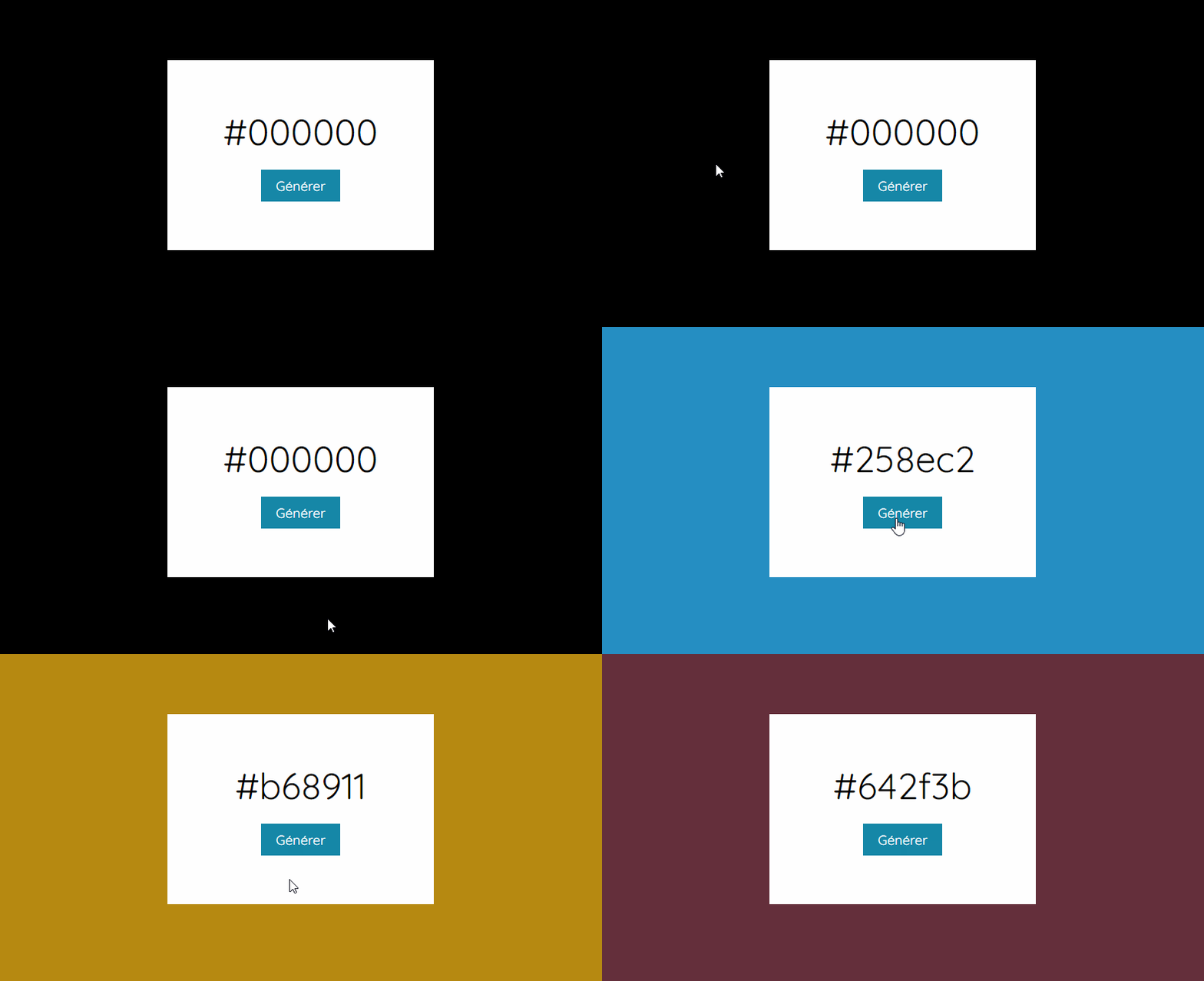
Would you like to practice JavaScript? Try building a random color generator! Let’s see in this article how to successfully complete this project.
Image


Step 1

Let's start with our HTML code.

HTML
<div class="main">
  <div id="code">#000000</div>
  <button onclick="generateColor()">
    Generate
  </button>
</div>

Here, we just need a button that calls a JavaScript function when clicked.

Step 2

Let's center our element in the middle of the page.

CSS
body {
    background: #000000;
    display: flex;
    align-items: center;
    justify-content: center;
    height: 100vh;
}

We will use Flexbox to center the box that will allow us to generate a color.

Step 3

Now, let's take care of the box and the code class!

CSS
.main {
    width: 350px;
    height: 250px;
    background: white;
    display: flex;
    justify-content: center;
    align-items: center;
    flex-direction: column;
}

#code {
    font-size: 3rem;
    margin-bottom: 20px;
}


Step 4

Let's finish our design by styling the button.

CSS
.main button {
    padding: 10px 20px;
    font-size: 1.1rem;
    border: none;
    outline: none;
    cursor: pointer;
    background: #1687a7;
    color: white;
}


Step 5

All that's left is to create the generateColor() function.

JAVASCRIPT
const generateColor = () => {
  
    let randomColor = (Math.floor(Math.random()*0xFFFFFF)).toString(16);
    document.body.style.backgroundColor = "#" + randomColor;
    let text = document.querySelector('#code');
    text.innerText = "#" + randomColor;
  
}

To generate a random hexadecimal number, there is a ready-made formula. Simply generate a random number (between 0.0000... and 0.9999...) and multiply it by 0xFFFFFF, which is the largest possible number for a hexadecimal color.

We generally end up with a 6-digit number. All that's left is to round down this number (floor()) and convert it into a base 16 string (thus hexadecimal).

Finally, we just need to add this color.
Category: Developers

Share this article

Want to help us? Share this article on your networks or even better: on your site, in an article or in your newsletter.

Believemy logo
Comments (0)

You need to be logged in to comment on this article: log in or sign up.

Read next

Creating animated borders and rainbow blurs with CSS and JavaScript

Think again: it's not a shadow, it's a trick that will make your visitors think you've added borders and animated rainbow shadows! It's nothing of the sort: no borders or shadows are used in this tutorial. Let's discover the secret behind this trick.

December 9, 2024

Create an animated "rainbow" button with CSS

In this article, we'll show you how to create a rainbow button that comes to life when the mouse hovers over it. A modern and sensational effect guaranteed!

December 9, 2024

Creating animated presentation cards with JavaScript

Whether you're presenting the team behind your project or anything else, using animated presentation cards will give your page a successful finishing touch. Find out how in this article!

December 9, 2024

Animate emojis like on Discord with JavaScript

Would you like to create a button whose emoji changes every time you move your mouse over it? Like on Discord? Then this article is for you!

December 9, 2024

Create an image slideshow

Let's discover together how to create a simple and effective image slideshow using HTML, CSS and JavaScript!

December 6, 2024

How can you use CSS variables to make everything more dynamic?

Perhaps you've already had that moment when you wanted to change the main colour of one of your projects? Or perhaps you've already experienced those moments when you go back to retrieve the colours of your site's theme? It's all very time-consuming and impractical. Thanks to CSS variables, this will be a thing of the past! Let's find out how.

December 9, 2024

Syntax highlighting with HTML and CSS

If you have a blog or a portfolio on which you want to present code, whether HTML / JavaScript or CSS code extracts, you have undoubtedly come up against a problem: how do you activate syntax highlighting to make it look as if you had put the code in a code editor? In this article, we'll look at how to do it.

December 9, 2024

Create an animated gradient background on hover avec CSS

Whether it's to highlight a part of your website or a quote as in this example, generating and adding a gradient to the background can give your website a very modern touch. Find out in this article how to do it easily!

December 9, 2024

Become the solopreneur you dream of being.

First project, career change, business launch: access our courses, practice on real-world cases, and move forward with clear guidance.